Setting Up your Electronic Rental Payment Account | Faculty & Postdocs
Introduction
We are pleased to introduce a new electronic rent payment option for Columbia Residential faculty, staff, postdocs and other non-student residents. This new option is designed to provide a more convenient and efficient way to manage resident monthly rent payments.
To begin using the new system, residents will need to create an account and register their payment details online.
Step-by-Step Guide to Setting Up An Electronic Rental Payment Account
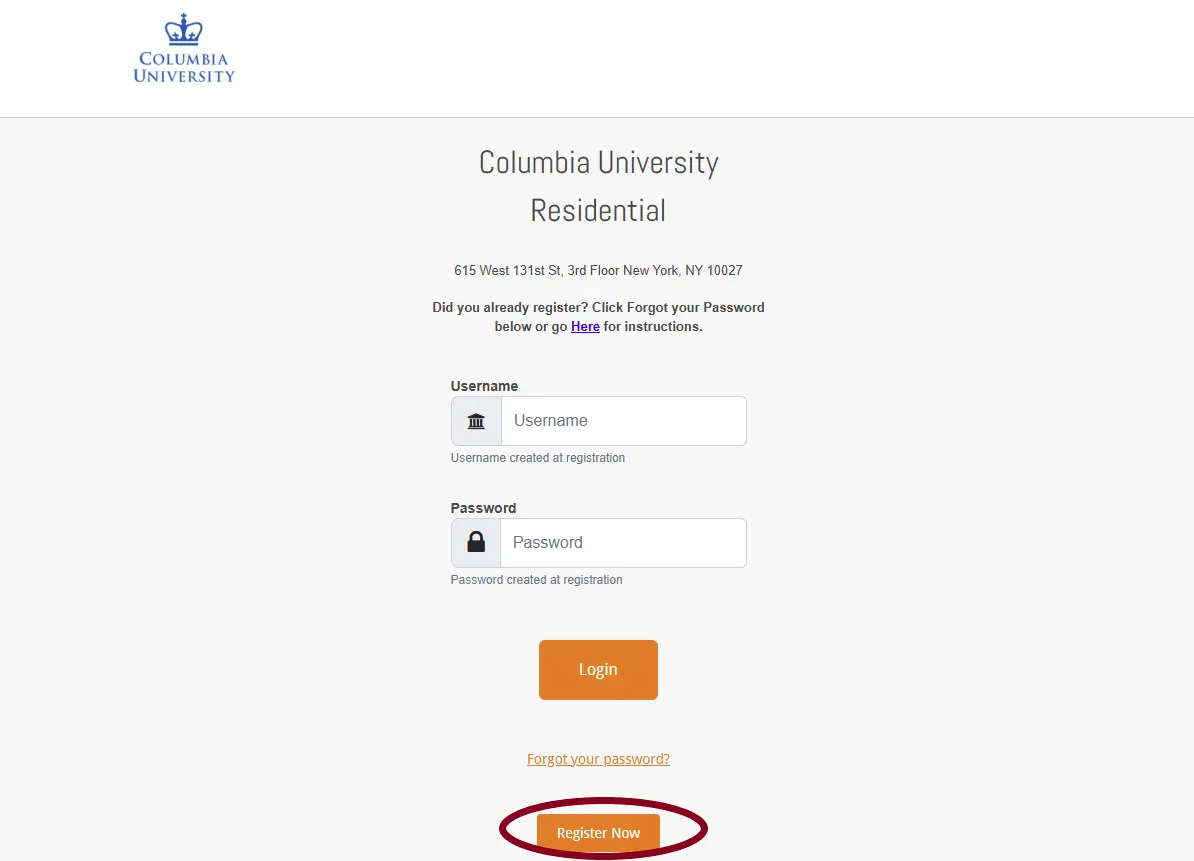
Visit the Residential Online Payment Portal.
Click on the “Register Now” button to begin the process.
Enter the 13-digit account number from the authorization email in the "Account ID" field. This number is required to verify the resident’s identity and link payments to their Residential account.
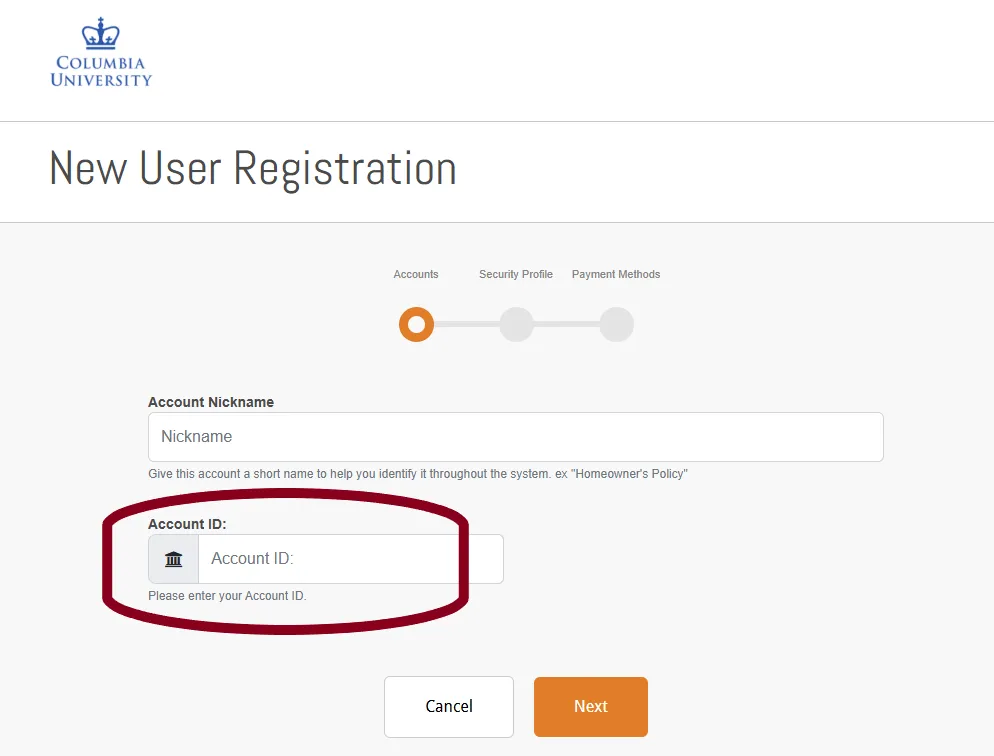
Click on “Next” and follow the on-screen instructions to set up an account.
Residents will be asked to register their checking account for payments. The following two options will be available:
- One-time payment: This payment is processed immediately and will not repeat automatically. You must authorize each one-time payment monthly.
- Auto-pay: The initial payment is processed immediately. Subsequent payments will be automatically processed on the first of each month.
Additional Information and Notes:
- Bank Account Requirements: The checking account used for payments must be in the name of the tenant of record. Accounts where the tenant of record is not an account owner cannot be used for rental payments.
- Managing Existing Bank Payments: Residents that have an existing bank-initiated payment set up must log in to their bank accounts and manually stop any existing recurring transactions. Signing up for this new system will not automatically cancel those payments.
- Account Review: After entering a checking account information, the Columbia University Controller’s Office will review a resident’s account details to confirm resident authorization to make electronic payments.
- Updating Bank Information: If the registered bank account needs to be changed later, bank details can be updated directly in the online payment portal. Each update will prompt a review and re-authorization by the Controller’s Office.
For any feedback, questions or assistance, please contact the Controller’s Office at [email protected] or call (212) 854-1077.